A loyalty programme on Shopify only works if the maths, the rewards and the customer experience fit together. Many stores install an app, accept the default settings and wonder why nobody redeems anything. This guide walks you through the setup in the order that matters. You start with your goal, then define earning rules, rewards and VIP tiers. After that you choose the app, launch and run checks. The examples come from a coffee brand, but the logic applies equally to beauty, fashion, pet food or a shop with a physical store.
Step 1: Decide what your programme is for and what it can cost
Before you touch any settings, write down one main goal. Typical goals for DTC brands include:
- More second orders: turning first-time buyers into repeat customers.
- Higher order frequency: useful for consumables such as coffee, skincare or pet food.
- Higher order value: nudging customers towards bundles or larger sizes.
- Online and in-store recognition: one programme across your website and your shop.
Next, set a reward budget. This is the share of revenue you are willing to give back as rewards, and you should base it on your gross margin rather than on what competitors appear to offer. A brand with tight margins on food should be more conservative than a skincare brand with high margins. If you are unsure, start modestly. Making rewards more generous later is easy and goes down well with customers. Cutting them back after launch causes friction.
Step 2: Set clear points and earning rules
Points are the currency of your programme, so keep them simple. Customers should understand within a few seconds how they earn and what a point is worth.
Points per purchase
The most common rule is a fixed number of points per pound or euro spent. Choose a round number that makes mental arithmetic easy. Decide whether points are awarded on the order total or on the total after discounts. Also decide what happens to points when an order is refunded.
Points for actions
Beyond purchases, you can reward behaviour that has value for your brand:
- A welcome gift when someone joins.
- A birthday reward.
- Referrals, ideally rewarding both the referrer and the friend once the friend completes a purchase.
Avoid rewarding actions you cannot measure or that bring little value. A long list of minor tasks makes the programme feel like admin.
Worked example (hypothetical)
A UK coffee roaster sells 250g bags at around £10. It sets these rules: 1 point per £1 spent, 50 points as a welcome gift and 100 points when a referred friend places a first order. A typical customer buying two bags a month earns roughly 20 points a month from purchases. The welcome gift gets them a quarter of the way to the first reward described below.
Step 3: Design rewards customers actually want
Rewards are where your budget turns into perceived value. A good mix includes:
- Discount codes: fixed amounts such as £5 off are easier to understand than percentages.
- Free products: a sample size, a new blend or a treat for the dog. These often cost you less than their perceived value.
- Free shipping: attractive when your shipping threshold is a common barrier.
- Experiences and access: early access to drops, limited editions or in-store tastings.
Set the first reward so that it is reachable within one or two typical purchase cycles. In the hypothetical coffee example, 200 points could unlock £5 off. A regular customer reaches that in a few months, while the welcome gift and a referral can bring it closer. Rewards that feel years away do not change behaviour.
Step 4: Add VIP tiers that reward your best customers
Tiers give your most loyal customers a status worth keeping. Base tiers on spend or number of orders over a rolling 12-month period, and limit yourself to three or four levels.
| Tier (hypothetical) | Qualification | Benefits |
|---|---|---|
| Member | Joins the club | 1 point per £1, welcome gift |
| Silver | £150 spent in 12 months | 1.25 points per £1, birthday gift |
| Gold | £400 spent in 12 months | 1.5 points per £1, early access, free shipping |
Make the benefits of each tier visible and concrete. Decide in advance how customers keep or lose a tier. A grace period before downgrading is usually kinder than an abrupt drop.
Step 5: Choose a loyalty app for Shopify and connect it
With your rules on paper, you can compare loyalty apps for Shopify against your own needs rather than a feature list. Useful criteria include:
- Does it support points, rewards, VIP tiers and referrals without workarounds?
- Does it require changes to your theme or checkout?
- Where do customers see their balance: a widget, an app, a Wallet card?
- Can it work in a physical shop without changing your POS?
- How is it priced: flat fee, usage-based or a mix?
For a neutral look at different approaches, see our comparison page.
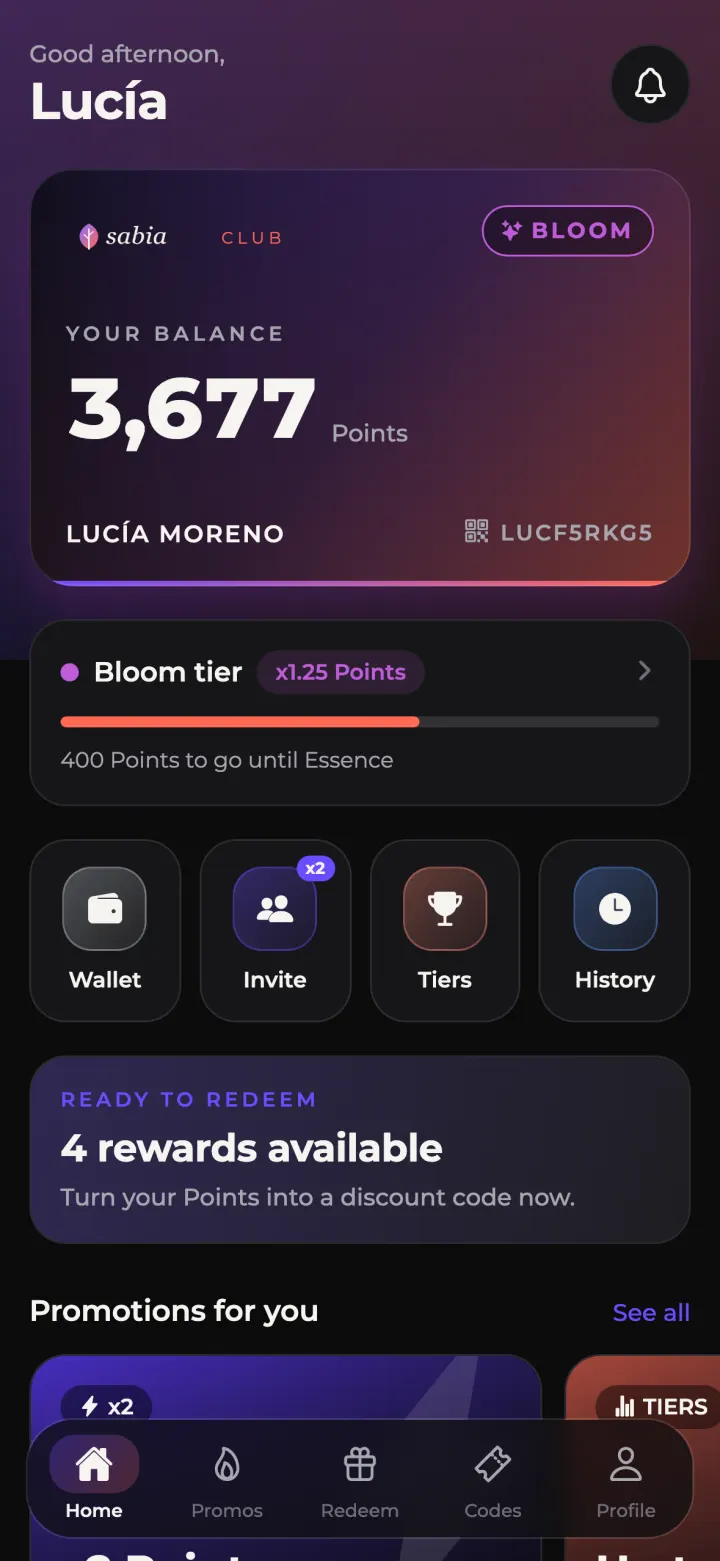
Here is how Loopa handles the setup. It connects to your current Shopify plan without touching your theme or checkout. Every purchase counts by customer email, even if the customer has not installed the app. You configure points per purchase, VIP tiers, rewards and discount codes, referrals and a welcome gift. Customers get an Apple Wallet or Google Wallet card that shows their balance and tier and updates itself. You can also publish a loyalty app under your own brand on the App Store and Google Play. For that you need your own Apple developer account ($99/year) and a Google Play account ($25 one-off). In-store, staff scan the customer's QR code with a phone or tablet. Pricing starts at €99/month plus 2% of member sales, or €290/month flat on Growth, with a one-off €490 setup fee. Full details are on the pricing page.
Step 6: Launch, promote and avoid common mistakes
Launch checklist
- Test a full journey: join, purchase, earn points, redeem a reward, check the refund rules.
- Write a short explainer page covering how to earn, what points are worth and how tiers work.
- Announce the programme to existing customers by email, ideally with the welcome gift.
- Brief shop staff on how to scan and explain the programme in under 30 seconds.
- Add reminders after purchase and when a customer is close to a reward.
Common mistakes
- Rewards that are too far away: customers lose interest before they redeem.
- Overcomplicated rules: if you need a paragraph to explain earning, simplify.
- Launching and forgetting: a programme needs regular communication, such as push or Wallet notices about new rewards.
- Ignoring the physical shop: customers who buy in both channels expect one balance.
FAQ
How long does it take to set up a Shopify loyalty program?
Designing your rules can take a few days of internal decisions. The technical setup depends on the app. Loopa typically goes live in about 7 days.
Should I start with VIP tiers or only points and rewards?
If your catalogue has frequent repeat purchases, simple tiers can work from day one. Otherwise, start with points and rewards, and add tiers once you understand your customers' spending patterns.
Do customers need to download an app to earn points?
Not necessarily. With Loopa, purchases count by email even without the app. The app and the Wallet card make the balance and rewards more visible.
Can several Shopify stores share one programme?
Yes. With Loopa, several Shopify stores or brands can share one club and one points balance on the Multi-brand plan, which is priced on request.
Ready to map your points, tiers and rewards onto a working programme? See Loopa's features.